
What technology can and cannot do
Good technology helps someone stay independent, get help fast and stay in touch. It can also reassure a family who live far away. But it cannot cook a meal, help someone to the toilet or notice that they seem low, and it should never replace human contact. The best results come from starting with a specific problem, such as “Mum fell at night and could not reach the phone”, and choosing the simplest thing that solves it, with the person’s agreement.
Personal alarms and fall detectors
A personal alarm is a button worn as a pendant or wristband. Pressing it connects to a 24-hour response centre through a base unit or a built-in mobile SIM. The operator talks to the person through the unit and then calls the people they have chosen as responders, such as family or a neighbour, or the emergency services if needed.
- Responders need a way in: a key safe by the door is usually essential.
- Automatic fall detectors raise an alert if they sense a fall, which helps if someone cannot press the button. They can miss some falls, so pressing the button is still best.
- GPS alarms work outside the home, which can suit someone who walks alone.
- Unmonitored alarms call family members’ phones directly, with no response centre. They are cheaper but rely on someone answering.
Typical costs
Prices vary, but as a guide, Which? reported these ranges from providers in July 2026, excluding VAT:
- Basic unmonitored alarm: about £5 to £20, with no ongoing fees.
- Monitored pendant alarm: £30 to £50 to set up, then about £15 to £20 a month.
- Monitored fall detector: £30 to £50 to set up, then about £19 to £27 a month.
- GPS alarm: £30 to £50 to set up, then about £21 to £30 a month.
Some council-run lifeline services charge less, around £14 a month in some areas. People who are disabled or have a long-term illness pay no VAT on alarms for their own use.
Telecare sensors around the home
Telecare links sensors to the same response centre, so help comes even if the person cannot ask for it. Common sensors include:
- Smoke and heat detectors.
- Carbon monoxide and gas detectors, some with automatic shut-off.
- Flood detectors, for taps left running.
- Bed and chair sensors, which can switch on a light when someone gets up or raise an alert if they do not return.
- Door sensors, for people with dementia who may go out at night and be at risk.
- Temperature sensors that warn if the home gets too cold or too hot.
- Epilepsy sensors that detect seizures during sleep.
“Activity monitoring” systems learn someone’s usual pattern, such as when they get up and use the kitchen, and alert family when something changes.
For people living with dementia, think carefully about privacy and freedom. If the person cannot decide for themselves, any monitoring should be in their best interests and the least restrictive option. Our guide to mental capacity and best interests explains how these decisions are made.
Council telecare schemes and costs
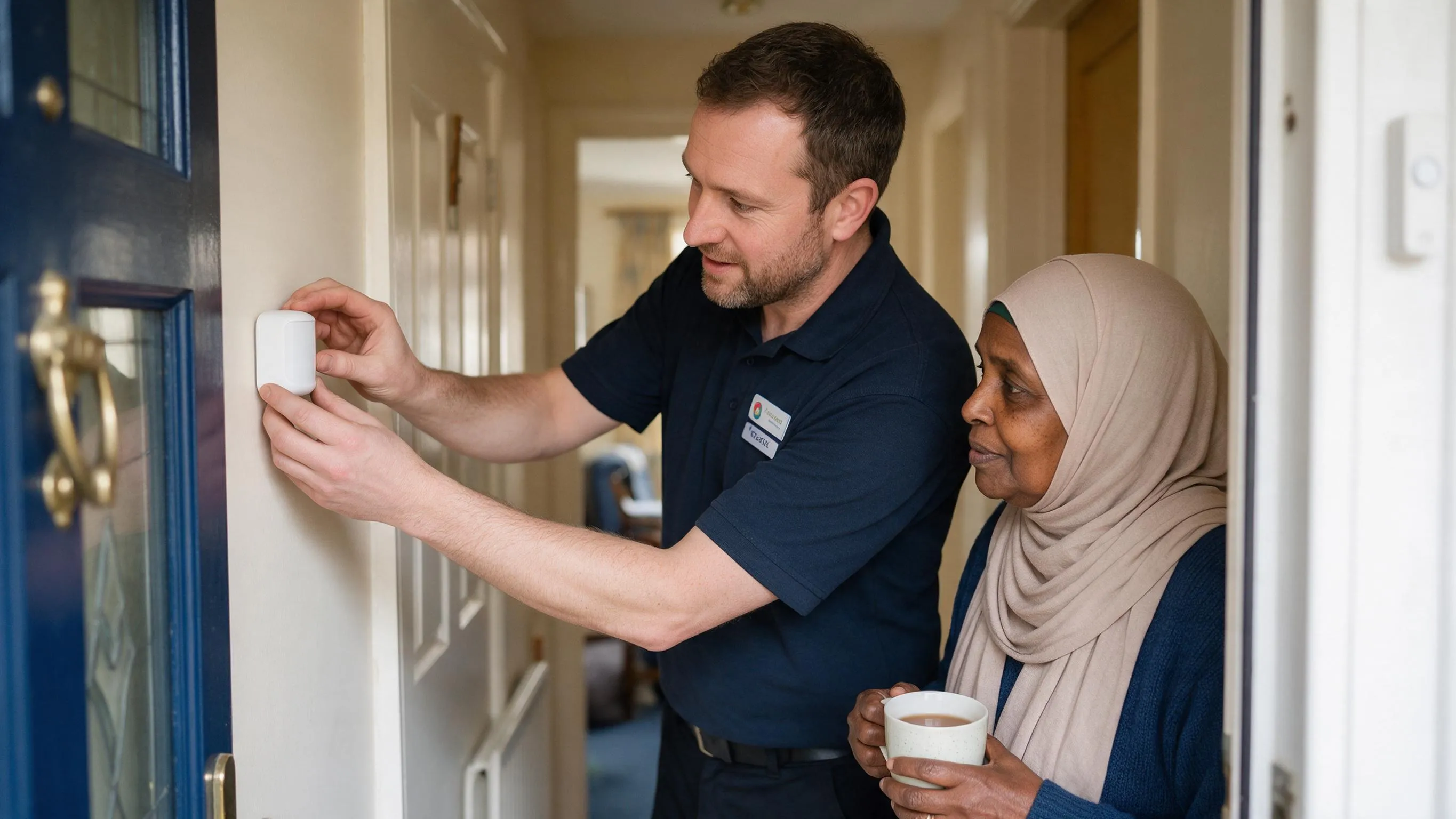
Councils have a duty to prevent, reduce or delay care needs, and telecare is one of the tools they use. Depending on the area, the council may:
- Provide an alarm or telecare after a needs assessment, sometimes free for a short time after a hospital stay.
- Run its own lifeline service at a set charge.
- Include telecare in a care package, with any charge worked out in the person’s financial assessment.
If the person receives council-arranged care at home and pays for a private alarm, ask for the cost to be counted as disability-related expenditure. Government guidance lists a community alarm system as an example, and it can reduce the amount they are asked to pay towards their care.
Getting council telecare: step by step
- Contact adult social care at the council where the person lives and ask about telecare or a community alarm service. In Oxfordshire, the social and health care team is on 01865 519800.
- Explain what has happened, such as a fall, getting lost or forgetting to eat, so the right equipment is suggested.
- Ask whether there is a charge, whether it is free for a period after a hospital stay, and how quickly it can be installed.
- Agree who the responders will be, and fit a key safe so they can get in.
- After installation, test every sensor and the pendant with the response centre.
The digital phone switchover and alarms
Analogue landlines are being replaced by digital lines that run over broadband. For most homes, the change is expected to be complete by January 2027. This matters for alarms:
- Some older alarms do not work reliably on a digital line.
- Digital landlines need mains power, so a power cut can stop a landline-based alarm working.
- Phone providers should offer a way to make emergency calls for at least an hour in a power cut, such as a battery back-up, free of charge to people who depend on their landline.
- Under an industry charter, providers have agreed not to move known telecare users to a digital line until a working telecare solution is confirmed.
What to do now:
- Tell the phone provider that the person has a telecare alarm.
- Ask the alarm provider whether the equipment works on a digital line, and whether it needs an upgrade.
- Ask about battery back-up for power cuts.
- After any switch, test the alarm straight away with the response centre.
- When buying a new alarm, choose one described as digital-ready or using a mobile SIM.
What to say to the phone provider
Call the number on the phone bill, or ask the person to call with you there. You could say:
“I am calling about [name and address]. They have a telecare alarm connected to this landline, provided by [alarm company]. Please record them as a telecare user and as a customer who depends on their landline. Before any change to a digital line, please confirm the alarm will keep working, and tell me what battery back-up you will provide for power cuts.”
Note the date, the name of the person you spoke to and any reference number. Then ring the alarm provider, tell them the date of any planned switch, and ask them to test the alarm afterwards.
Video calls and staying in touch

A simple tablet or smart display can make video calls easy, even for someone who has never used the internet. Choose a device with a large screen and few buttons. Some can be set up, with the person’s agreement, to answer calls from family automatically. Local libraries and Age UK often offer free help to build confidence. Our guide to loneliness and wellbeing has more ideas.
Medication reminders and dispensers
- Reminders: phone alarms, talking clocks or smart speakers can remind someone to take their medicines.
- Automatic pill dispensers: a locked device releases the right tablets at set times, sounds an alert, and can notify family if a dose is not taken.
Dispensers need someone reliable to fill them, and not every medicine can go in one. They are not a safe answer for everyone, especially people with significant memory problems who may not understand what to do. Talk to the pharmacist first. Our guide to managing medication at home explains the options.
Smart home help
- Voice assistants can make calls, set reminders, switch on lights and play the radio, all by voice.
- Smart plugs and lights can switch on a lamp before someone comes home, or turn off a heater left on.
- Motion-sensor lights on the route to the bathroom reduce night-time falls.
- Video doorbells let someone see who is at the door, or let family check, with their agreement.
- Smart thermostats can be adjusted remotely, so the home stays warm.
Keep things simple, set up one device at a time, and make sure the person knows how to get help if something stops working.
Questions to ask before you buy
- What exactly will this help with, and does the person want it?
- Who responds to an alert, and how quickly?
- What does it cost each month, and how long is the contract?
- Is there a set-up fee, and a trial period or cancellation right?
- Does it work on a digital line or mobile network, and in a power cut?
- Is the wearable button waterproof, and what is its range?
- Who installs it, and who can you call if it goes wrong?
- What data does it collect, and who can see it?
Helplines
- Age UK Advice Line: 0800 678 1602, for advice on alarms and staying safe at home.
- Citizens Advice consumer helpline: 0808 223 1133, Monday to Friday, 9am to 5pm, if you have a problem with an alarm contract or a pushy seller.
- Carers UK: 0808 808 7777, Monday to Friday, 9am to 6pm, for family carers.
What to do next
- Agree with the person what worries them and what would help.
- Ask the council about an assessment and any local telecare service.
- Check any existing alarm will work on a digital phone line.
- Fit a key safe, and agree who the responders will be.
- Claim VAT relief if the person qualifies.
How we can help
Technology works best alongside people. A live-in carer is there through the day to answer the door and notice changes, and is close by at night to help now and then. Day and Nightcare provides fully managed live-in care anywhere in England, and home care visits from one hour, sleep-ins and waking nights across Oxfordshire, and 24-hour care with carers working in shifts anywhere in England. We are CQC-registered and rated Good. Call 01865 715780 to arrange a free initial assessment.
Common questions
Do personal alarms work without a landline?
Many do. Newer alarms often use a built-in mobile SIM to contact the response centre, so they do not need a landline at all, and some work outside the home using GPS. Older alarms plugged into a phone socket depend on the landline and may need replacing or adapting when the line becomes digital. When choosing, ask how the alarm connects, what happens in a power cut, and how strong the mobile signal is at home.
Will my mother's alarm stop working when her phone line goes digital?
It might, so check now rather than waiting. Tell her phone provider that she has a telecare alarm, and ask the alarm provider whether it works on a digital line. Providers have agreed not to move known telecare users until a working solution is in place. Digital lines need mains power, so ask about a battery back-up, which should be free for people who depend on their landline.
Does the council pay for telecare?
Sometimes. Councils can provide telecare to prevent or delay care needs, or as part of a care package after a needs assessment, and some offer a basic alarm service at a modest weekly or monthly charge. Charges vary between councils. If the person pays for their own alarm and also receives council-arranged care at home, ask for the alarm's cost to be counted as disability-related expenditure in their financial assessment.
Are fall detectors reliable?
They help, but they are not perfect. Automatic fall detectors can miss slow, sliding falls and can occasionally raise false alarms. Encourage the person to press the button whenever they fall or feel unwell, rather than relying on the sensor, and to wear the pendant or wristband at all times, including in the bathroom if it is waterproof. Test the alarm regularly with the response centre.
Can I put a camera in my parent's home?
Only with their agreement. Cameras and listening devices in someone's home affect their privacy and dignity, and visitors and carers also have rights. If the person lacks the mental capacity to decide, any camera must be agreed as being in their best interests and the least restrictive option. Often a door sensor, bed sensor or activity monitor meets the same need with far less intrusion.
Sources and further information
- GOV.UK: UK transition from analogue to digital landlines
- GOV.UK: PSTN Network Operator's Charter
- Which?: Personal alarms for older people
- Age UK: Factsheet 42, Disability equipment and home adaptations (March 2026)
- GOV.UK: VAT relief for disabled people
- GOV.UK: Care and support statutory guidance
Prepared by the Day and Nightcare care team. Last updated 30 October 2026; sources last checked 30 October 2026. This guide is general information about care in England, not financial, legal or medical advice.